
Zombies Ate My Doctor1.1.0 - Google Play
You'll be able to see results in few seconds.
Publisher Description
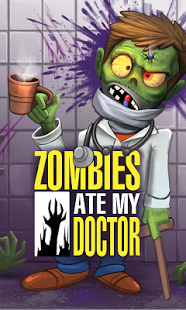
Ever play an Endless Runner but wanted something different?
Love Zombie shows like 'The Walking Dead' or movies like 'World War Z'?
Here comes "Zombies Ate My Doctor" - An Endless First Person Shooter (FPS) by "One Chicken Army!" where you can endlessly kill all the Zombie Doctors that you want.
The Story:
---------------
Sheriff Kevin awakes from a coma in his hospital and finds that the hospital that he is in has been overrun by Zombie Doctors.
Aided by his loyal deputy, James, they try to shoot their way out of the hospital overrun by Zombie Doctors!
Inspired by action movies from the 70s, Zombies Ate My Doctor is the first in the next generation of mobile games that ensure console quality attention to detail with all the fun and ingenuity of touch based gaming.
Gameplay:
---------------
· Tap to Shoot Zombies
· Endless Levels
· Tilt or Swipe Phone to Switch Lanes
· Collect Coins to unlock cool weapons and power ups!
· Kill Combos
· 6 different types of weapons such as the Dual Wielded Colt 45s, the AK-47 and even the iconic Crossbow!
· Did we mention Killer Doctor Zombies?
· Tap and shoot the evasive 'Mad Pathologist'! The most dangerous Zombie Doctor of them all!
· A Clever Gaming Mash-up between Endless Runners and First Person Shooters!
About Zombies Ate My Doctor
The company that develops Zombies Ate My Doctor is One Chicken Army. The latest version released by its developer is 1.1.0.
To install Zombies Ate My Doctor on your Android device, just click the green Continue To App button above to start the installation process. The app is listed on our website since 2014-11-10 and was downloaded 0 times. We have already checked if the download link is safe, however for your own protection we recommend that you scan the downloaded app with your antivirus. Your antivirus may detect the Zombies Ate My Doctor as malware as malware if the download link to com.onechickenarmy.zombiesatemydoctor is broken.
How to install Zombies Ate My Doctor on your Android device:
- Click on the Continue To App button on our website. This will redirect you to Google Play.
- Once the Zombies Ate My Doctor is shown in the Google Play listing of your Android device, you can start its download and installation. Tap on the Install button located below the search bar and to the right of the app icon.
- A pop-up window with the permissions required by Zombies Ate My Doctor will be shown. Click on Accept to continue the process.
- Zombies Ate My Doctor will be downloaded onto your device, displaying a progress. Once the download completes, the installation will start and you'll get a notification after the installation is finished.
Program Details
System requirements
Download information
Pricing
Version History
version 1.1.0
posted on 2014-11-10
* Swipe Added,* Tilt Improved,* Parking Lot Level Added,* Minor Bug Fixes,* Shop Menu Fixed
version 1.0.9
posted on 2014-07-22
Several fixes and updates
Disclaimer
Official Google Play Link
We do not host Zombies Ate My Doctor on our servers. We did not scan it for viruses, adware, spyware or other type of malware. This app is hosted by Google and passed their terms and conditions to be listed there. We recommend caution when installing it.
The Google Play link for Zombies Ate My Doctor is provided to you by apps112.com without any warranties, representations or guarantees of any kind, so access it at your own risk.
If you have questions regarding this particular app contact the publisher directly. For questions about the functionalities of apps112.com contact us.
